digital wardrobe
Build a Digital Wardrobe You Can Actually Use
A start-small digital wardrobe setup for outfit planning, travel packing, and shopping decisions, designed around clothes you already wear.
TL;DR
A digital wardrobe works best when it starts as a decision tool, not a complete archive. Add the clothes you actually wear, photograph them clearly, group them around real outfit decisions, and use the wardrobe to plan what to wear, pack, repeat, repair, or avoid buying.
Do not start with your whole closet. Start with the pieces that already shape your week, then add more only when a real decision needs them.
Table of contents
- What a digital wardrobe should do
- The 30-item starter wardrobe
- How to photograph clothes for planning
- Organize around decisions
- Build outfit formulas first
- Use the wardrobe before shopping
- Digital wardrobe FAQ
What a digital wardrobe should do
A digital wardrobe is a visual inventory of clothes, shoes, bags, and accessories. But inventory is not the real benefit. The benefit is visibility.
When your clothes are visible in one place, you can answer practical questions faster:
- What should I wear tomorrow?
- Which shoes work with these trousers?
- What should I pack for three days away?
- Do I already own a version of this item?
- Which clothes are useful but forgotten?
- Which pieces need tailoring, cleaning, or repair?
That is why a good wardrobe app should reduce decisions, not create a new admin project. If the setup feels like cataloging a warehouse, it is too heavy.
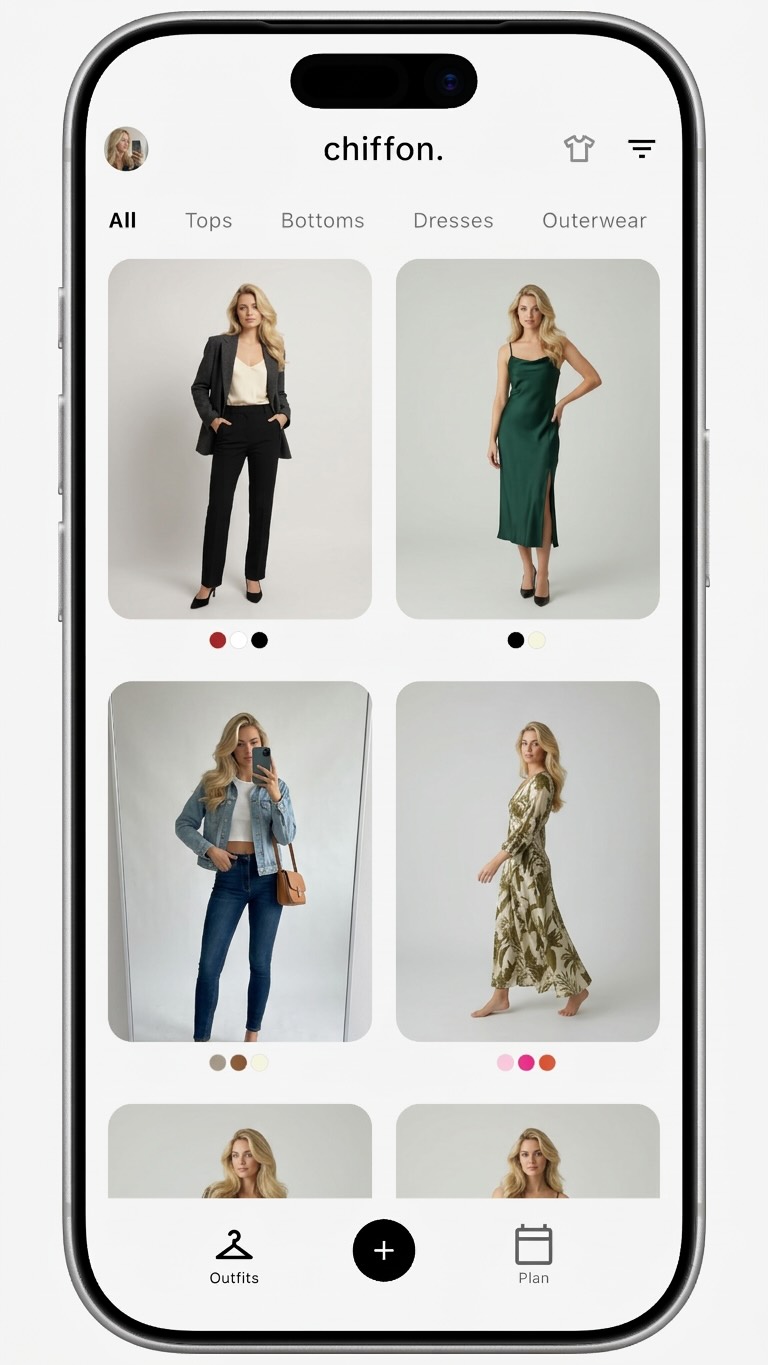
Chiffon is designed for the full loop: save clothes, review garment details, and preview outfit ideas with AI virtual try-on. The digital wardrobe is the foundation, but the goal is always better outfit decisions.
The 30-item starter wardrobe
The fastest way to make a digital wardrobe useful is to start with a small set that can already produce real outfits.
Use this starter set:
| Category | Add first | Why it matters |
|---|---|---|
| Tops | 8 to 10 | Tops change the mood of outfits quickly |
| Bottoms | 5 to 7 | Pants, skirts, and jeans define silhouette |
| Layers | 3 to 5 | Jackets and sweaters affect proportion |
| Shoes | 3 to 4 | Shoes decide formality and balance |
| One-piece outfits | 1 to 3 | Dresses, suits, or jumpsuits simplify planning |
| Accessories | 2 to 4 | Bags, belts, or jewelry can shift the outfit |
Choose clothes you actually wear, not clothes you wish you wore. Include the pieces that carry your normal week: the jeans you reach for twice, the shoes that solve most outfits, the layer you keep on a chair, and the top you repeat because it works.
This first set is enough to plan real combinations. It also shows you what the rest of the wardrobe needs. If you cannot build many outfits from these 30 items, the issue may not be missing clothes; it may be missing connectors.
How to photograph clothes for planning
Digital wardrobe photos do not need to look like product photography. They need to be useful for recognition and comparison.
Use this photo protocol:
- Use natural or even light.
- Place the item on a plain background.
- Capture the full garment, including sleeves, hems, straps, collars, and waistbands.
- Keep similar items at a similar angle.
- Avoid heavy filters that change color.
- Retake photos that are dark, wrinkled beyond normal wear, or cropped.
Consistency matters more than polish. A wardrobe full of clear, plain photos is easier to use than a mix of dramatic photos, screenshots, mirror selfies, and cropped product images.
For AI outfit planning, clear garment photos also make comparisons easier. If the item is hard to see, the planning output becomes harder to judge.
Organize around decisions
Most digital wardrobes start with categories: tops, bottoms, dresses, outerwear, shoes, and accessories. Keep those. They are useful. But do not stop there.
Outfit planning becomes more effective when your labels match the decisions you actually make:
| Decision label | Use it for |
|---|---|
| Work | Clothes that fit your real dress code |
| Weekend | Easy outfits that do not need overthinking |
| Travel | Pieces that mix well and pack efficiently |
| Hot weather | Clothes that work when layering is unrealistic |
| Dinner | Slightly elevated pieces you reach for socially |
| Hard to style | Items that need deliberate outfit testing |
| Needs attention | Tailoring, repair, cleaning, or replacement |
| Frequent favorite | Pieces that repeatedly save outfits |
This is where digital organization can outperform a physical closet. A blazer can be “work”, “dinner”, “travel”, and “frequent favorite” at the same time. A closet rail cannot show those relationships as easily.
Build outfit formulas first
An outfit formula is a repeatable structure. It is not a uniform. It is a shortcut.
Examples:
- Fitted top, wide trousers, low-profile shoes
- Button-down shirt, straight jeans, loafers
- Dress, cropped jacket, simple flats
- Knit top, skirt, boots
- T-shirt, relaxed pants, overshirt, sneakers
Build three formulas from your starter wardrobe. Then test each one by swapping one item at a time. If a formula works with several tops or shoes, save it. If it only works once, label it as a specific outfit rather than a reusable structure.
This is also where AI virtual try-on becomes useful. Once your clothes are saved in Chiffon, you can preview formulas before changing clothes, packing, or buying something new.
Read the companion guide to AI virtual try-on from your own clothes for the comparison workflow.
Use the wardrobe before shopping
A digital wardrobe is one of the simplest ways to buy fewer weak pieces. Before buying, check whether the item earns a place among clothes you already own.
Use the three-outfit rule:
- Pick the item you want to buy.
- Match it with three clothes you already own.
- Build three realistic outfits, not fantasy outfits.
- Compare it with similar pieces already in your wardrobe.
- Buy only if it fills a real gap or clearly improves a repeated outfit.
This turns the wardrobe into a shopping filter. You are no longer asking only, “Do I like this?” You are asking, “What will this do inside my actual closet?”
If you want the full buying workflow, use the guide to virtual try-on for online shopping.
Use it for travel packing
Travel packing is a strong test of whether a digital wardrobe is useful. Every item has to justify its space.
Before packing, create a temporary travel set:
- Weather-appropriate tops
- Bottoms that repeat without feeling identical
- One layer that works with most outfits
- Shoes that cover the real activities
- One backup outfit if the trip needs it
Then build outfits only from that set. Remove pieces that work once and keep pieces that work repeatedly.
This process makes overpacking visible. If an item does not appear in any planned outfit, it probably does not need to travel.
Keep the wardrobe alive with light maintenance
The best digital wardrobe is updated lightly, not perfectly. A monthly reset is enough for most people.
Do this once a month:
- Add new purchases.
- Archive clothes you donated, sold, or stopped wearing.
- Save outfit combinations that worked.
- Mark items that need tailoring or cleaning.
- Notice pieces that never appear in outfits.
The point is feedback. If one jacket improves ten outfits, that tells you something. If one top appears in none, that tells you something too.
Digital wardrobe FAQ
How many clothes should I add to a digital wardrobe first?
Start with 20 to 40 clothes you wear often. That is enough to build useful outfit combinations without turning setup into a full closet inventory.
Do I need professional photos for a digital wardrobe?
No. Clear phone photos are enough if each garment is fully visible, well lit, and photographed against a simple background. Consistency matters more than polish.
What is the best way to organize a digital wardrobe?
Organize by the decisions you make most often, such as work, weekend, travel, hot weather, dinner, or hard-to-style pieces. Categories are useful, but decision labels make the wardrobe easier to use.
Can a digital wardrobe help me shop less?
Yes. Seeing what you already own makes duplicates easier to spot and helps you test whether a new item creates real outfit options.
Build the version you will use
A digital wardrobe does not need to be complete to be valuable. It needs to make your next decision easier.
Start with the clothes that already matter, photograph them clearly, group them around real life, and build a few outfit formulas. Once the wardrobe helps you get dressed, pack, or reject a weak purchase, it is already doing its job.